

Virtual Consultation
Your smile consult, right from home.
Snap eight quick photos with your phone, send them through our secure online form, and our team will review your smile and reach out with your options for braces or Invisalign — no drive, no waiting room.
-
01
Take your photos
Follow the photo guide below — three of your face and five of your teeth.
-
02
Send them securely
Upload your photos through our secure online form in just a few taps.
-
03
Hear from our team
We’ll review your photos and contact you to talk through your options.
Your Photo Guide
Eight photos. That’s all it takes.
Use these examples as your guide. Clear, well-lit photos help our team give you the most helpful feedback.
-
1
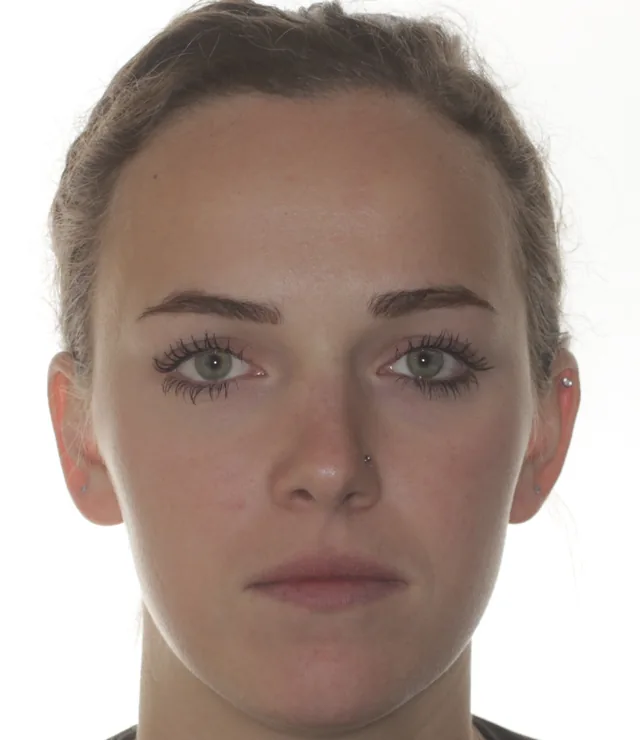
No-Smile
Face the camera straight on with your lips relaxed and closed.
-
2

Smile
Same pose — now give us a big, natural smile.
-
3
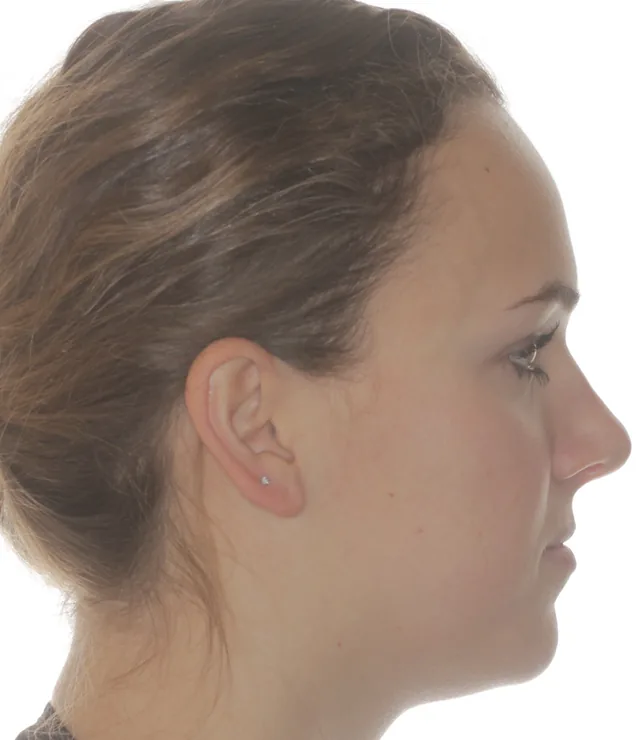
Profile
Turn to the side, chin level, eyes looking straight ahead.
-
4
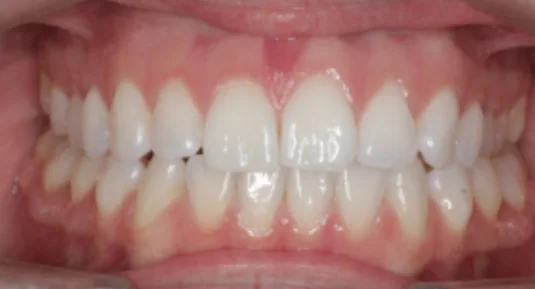
Front teeth, biting down
Bite down on your back teeth and pull your lips back so we can see your gums.
-
5
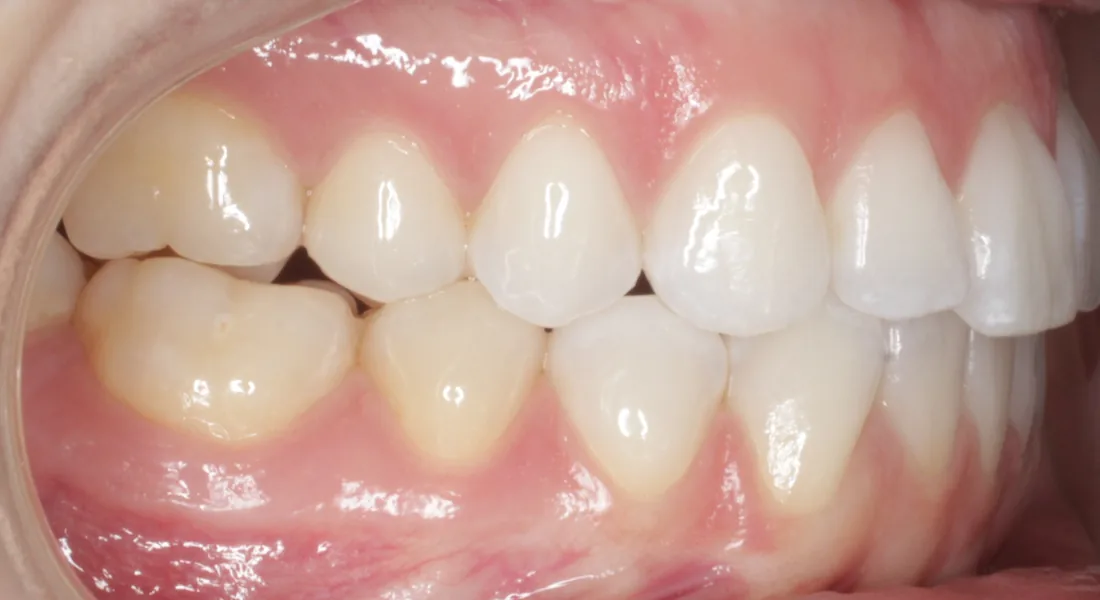
Right side, biting down
Keep biting down and pull your right cheek back to show your back teeth.
-
6
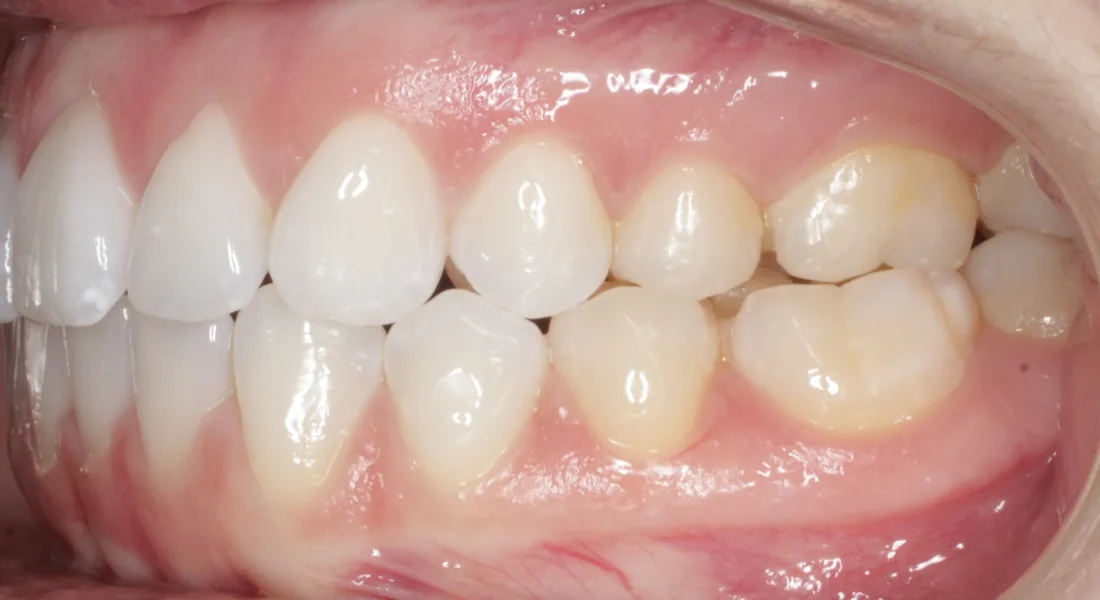
Left side, biting down
Now the other side — pull your left cheek back while biting down.
-
7
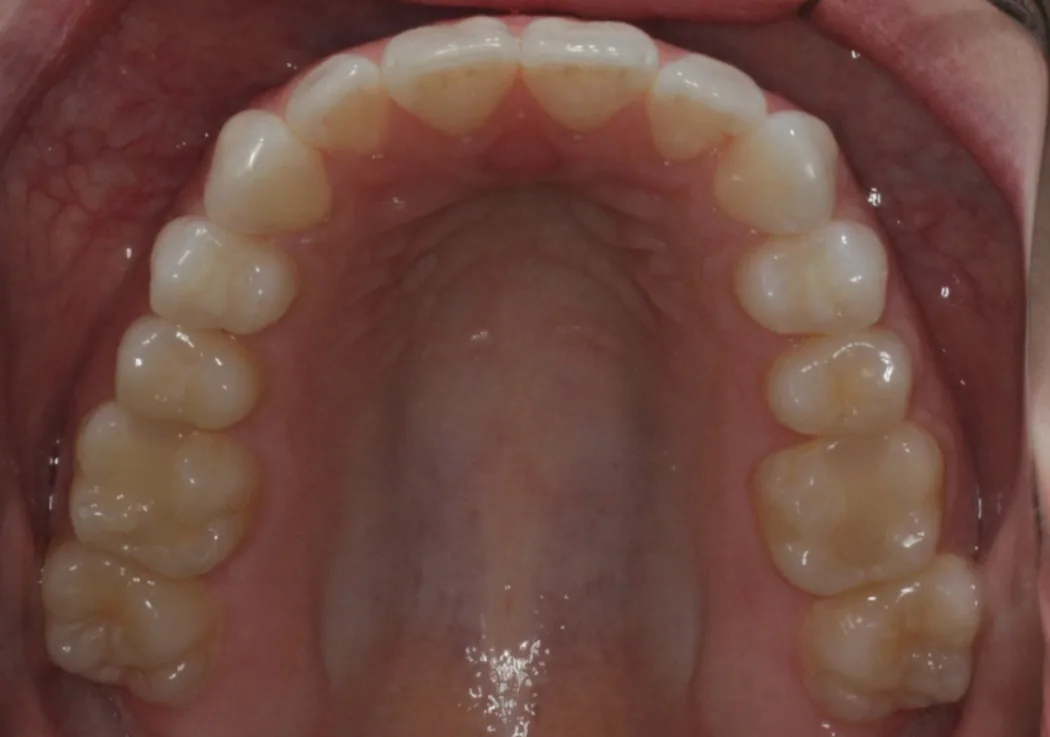
Open wide: upper arch
Tilt your head back and open wide to capture every top tooth.
-
8
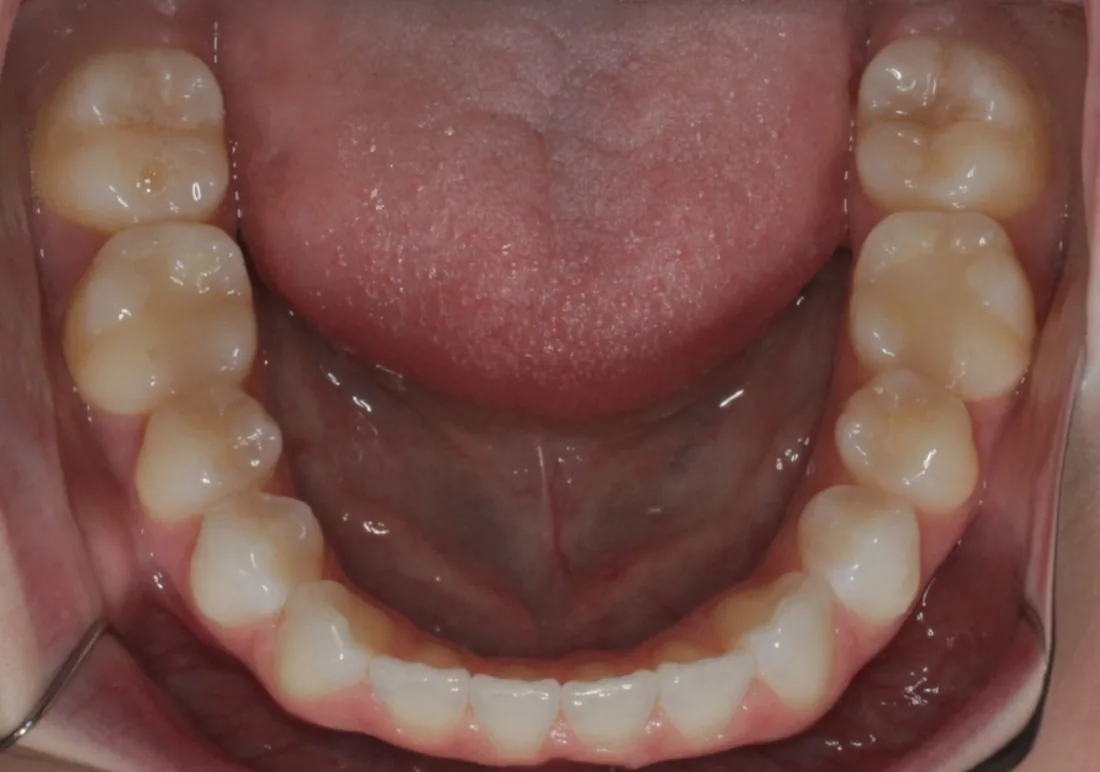
Open wide: lower arch
Tuck your chin and open wide to capture every bottom tooth.
Pro Tips
For picture-perfect results
-
Find good light
Bright, even light near a window works best. Avoid harsh shadows.
-
Grab a helper
An extra set of hands makes the teeth photos much easier to capture.
-
Clear the view
Pull hair back, remove glasses, and take out any retainers or aligners.
-
Hold steady
Tap to focus, skip the filters, and retake any shots that look blurry.
Ready When You Are
Got your photos? Let’s get started.
Our secure form walks you through uploading each photo, step by step.